Connecting AppsFlyer to Churney

Updated November 2026

Churney sends predicted value to AppsFlyer as server-to-server events, and AppsFlyer forwards them to your ad networks. Setup is three steps, guided in the Churney app.

At a glance: 3 steps · Admin access to AppsFlyer · Guided in the Churney app

Before you start

  • Admin access to your AppsFlyer account.
  • Your Android and iOS app IDs as they appear in AppsFlyer.
  • Access to the Churney app. You get it when you onboard.

Step 1. Share your S2S key

Churney sends server-to-server events to AppsFlyer with each user's predicted value. For that it needs your app IDs and an S2S key.

  1. In AppsFlyer, open the account menu: your email, top right.
  2. Go to Security Center > Manage your AppsFlyer tokens.
  3. Create a new S2S key and copy it.
  4. Paste it in the Churney app with your Android and iOS app IDs, then click Save.
Watch: creating an S2S key in AppsFlyer

Step 2. Activate Churney in the partner marketplace

This lets AppsFlyer share install and in-app event postbacks with Churney, so the models get near real-time updates on top of your warehouse data.

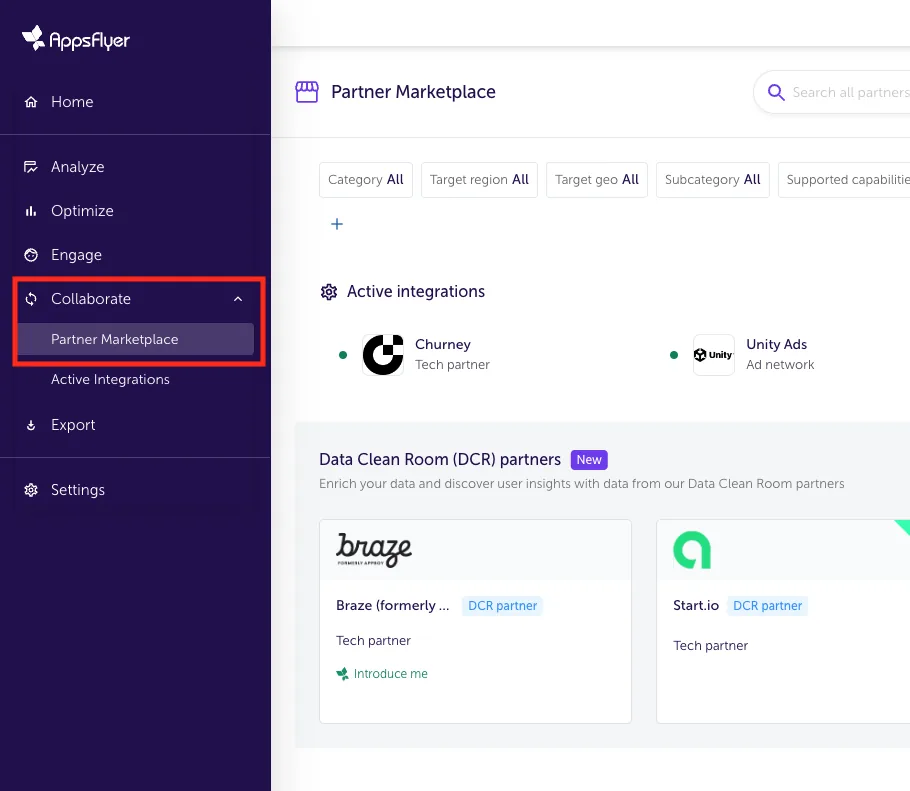
  1. In AppsFlyer, select your app and open Collaborate > Partner marketplace.
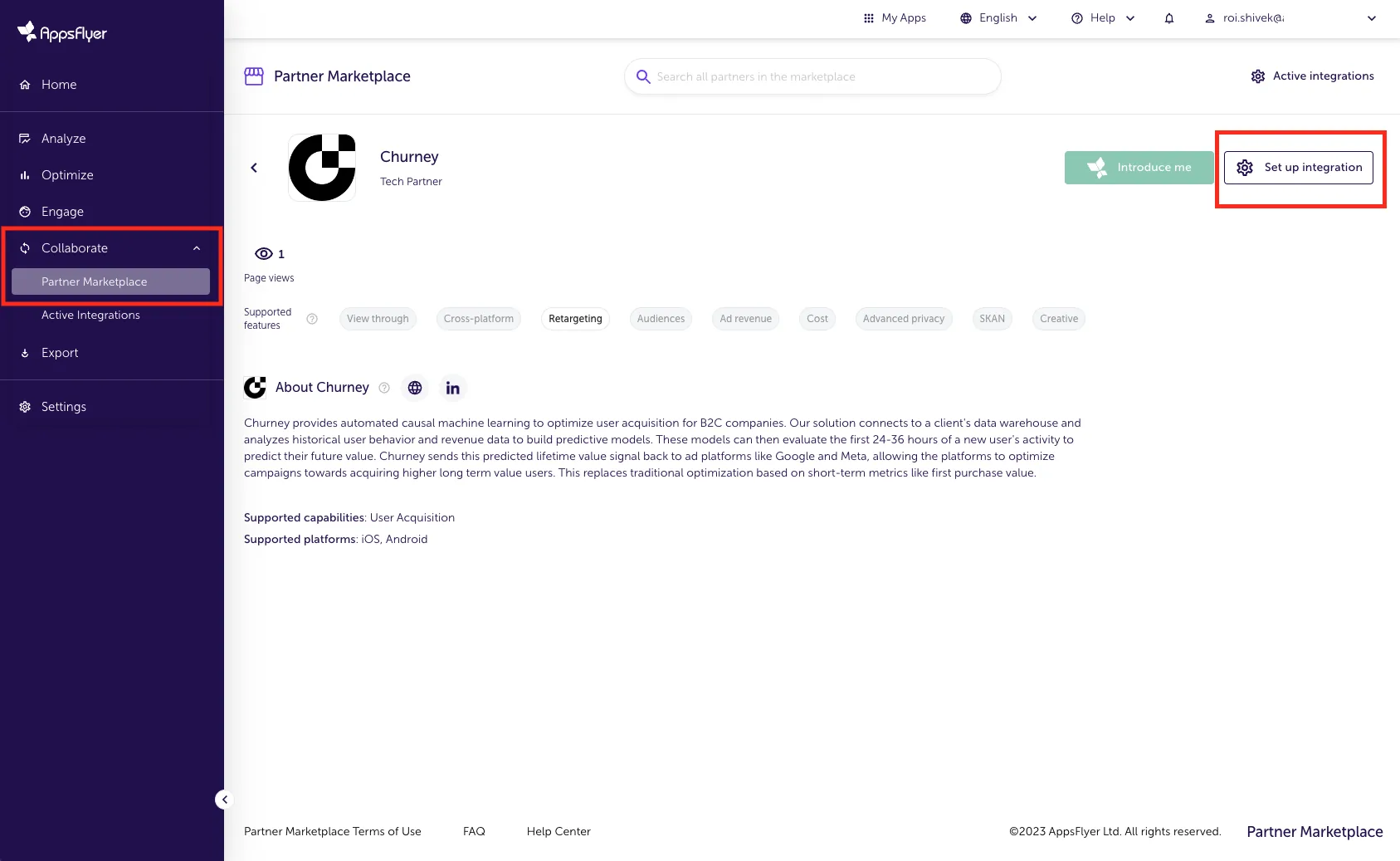
  2. Search for Churney and click Set up integration.
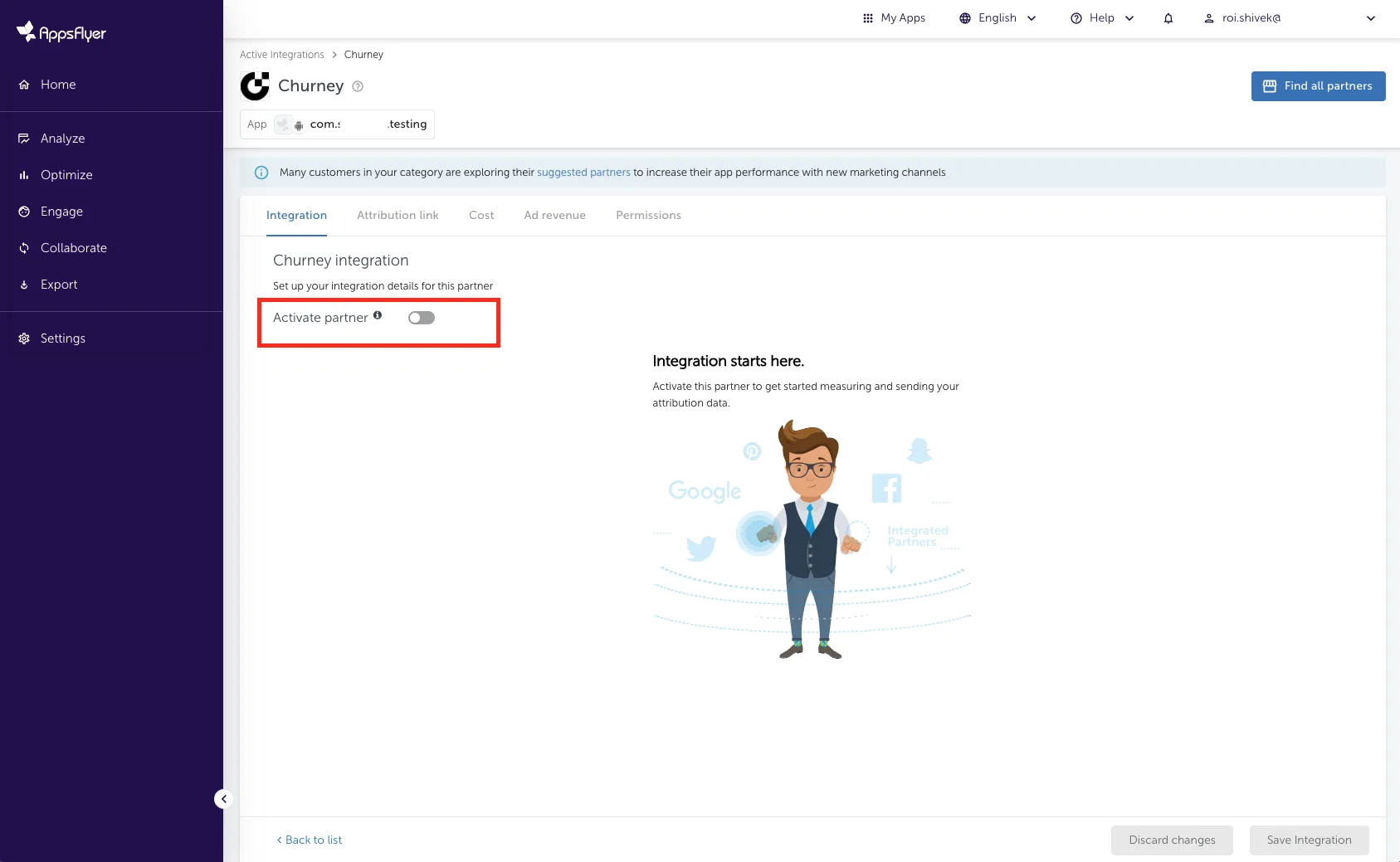
  3. On the Integration tab, turn on Activate partner.
AppsFlyer partner marketplace under Collaborate
Churney partner profile with Set up integration
Activate partner on the Integration tab

Step 3. Turn on postbacks

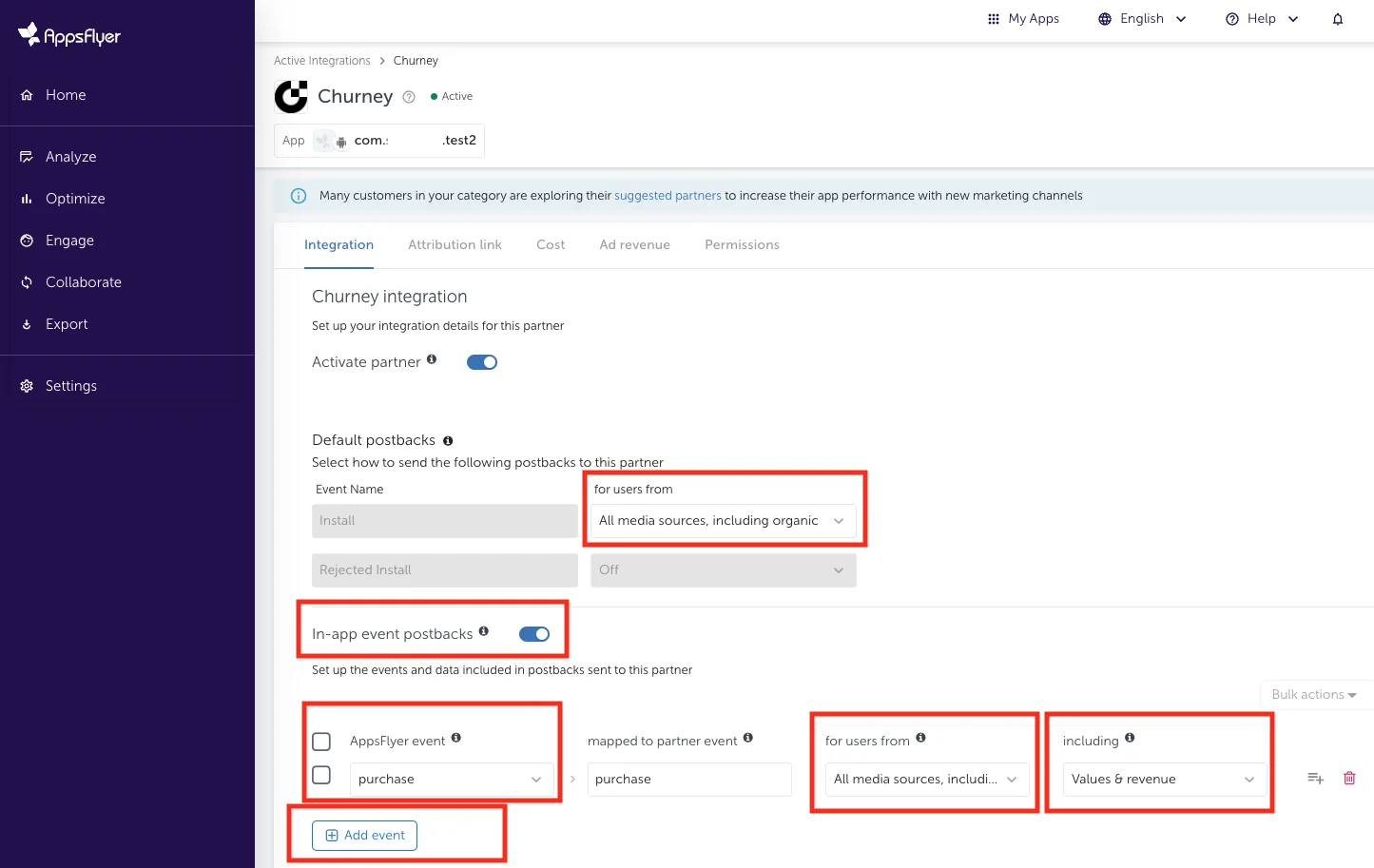
  1. Under default install postbacks, select All media sources, including organic.
  2. Turn on In-app event postbacks.
  3. Click Add event and pick each event to share. Share all revenue events, refunds included, and ad revenue events if you monetize with ads.
  4. For each event, select All media sources, including organic and include Values and revenue. Without it the events arrive empty.
  5. Click Save.
Install and in-app event postback settings

What moves between AppsFlyer and Churney

  • From Churney to AppsFlyer: predicted value events through the S2S API, which AppsFlyer forwards to your ad networks.
  • From AppsFlyer to Churney: install and in-app event postbacks for all media sources, organic included.
  • Postbacks add to your warehouse data. They don't replace it.

Want to see the potential first? Export raw in-app events from AppsFlyer and upload them to our free analysis tool.

See whether your data predicts long-term value.

Book a 30-minute call. We look at your setup and tell you plainly whether pLTV is worth testing.